Key takeaways
- Cost per frame, used RTX 3080: $280 ÷ 100 fps = $2.80 per fps.
- Cost per frame, new RTX 4070 Super: $550 ÷ 112 fps = $4.91 per fps.
- Electricity delta: 320 W − 220 W = 100 W. At 2 hours of gaming per day (730 hours/year), that is 73 kWh. At a typical U.S. residential rate of roughly $0.17 per kWh, the 3080 costs about $12 more per year to run.
- Break-even: the $270 price gap between the two cards would take about 22 years of electricity savings to close. Efficiency is not the financial argument — warranty, features, and thermals are.
For most upgrades in 2026, the answer splits by budget: a used RTX 3080 10 GB at roughly $250–320 delivers the most frames per dollar, while a new RTX 4070 Super or 4070 Ti Super is the better buy if you want a warranty, DLSS 3 Frame Generation, an AV1 encoder, and roughly 100 W less heat for the same performance tier. The 30 series wins on used price; the 40 series wins on features, efficiency, and VRAM-per-tier at the top end. Everything below is about matching one of those two realities to your monitor, power supply, and case.
Quick comparison: the picks at a glance
| Pick | Best for | Key specs | Typical 2026 price |
|---|---|---|---|
| RTX 3060 12 GB (used) | Cheapest 1080p with VRAM headroom | 12 GB GDDR6, 192-bit, 170 W, DLSS 2 | $150–200 |
| RTX 3080 10 GB (used) | Best frames per dollar | 10 GB GDDR6X, 320-bit, 320 W | $250–320 |
| RTX 4060 8 GB (new) | Budget buy with warranty and low power | 8 GB, 128-bit, 115 W, DLSS 3 FG, AV1 encode | $270–320 |
| RTX 4070 Super 12 GB (new) | Best overall new card | 12 GB, 192-bit, 220 W, DLSS 3 FG | $500–600 |
| RTX 4070 Ti Super 16 GB (new) | 1440p high refresh and light 4K | 16 GB, 256-bit, 285 W | $700–800 |
| RTX 3090 24 GB (used) | VRAM per dollar, local AI work | 24 GB GDDR6X, 384-bit, 350 W | $550–700 |
| RTX 4090 24 GB (used) | 4K halo, no compromises | 24 GB GDDR6X, 384-bit, 450 W | $1,400–1,800 |
Best overall new card: RTX 4070 Super 12 GB
Published benchmark aggregates generally place the RTX 4070 Super about 10–15% ahead of the RTX 3080 at 1440p while drawing 220 W instead of 320 W, per NVIDIA’s spec sheets. It takes a standard 8-pin connector on most models, needs a 650 W power supply, and supports DLSS 3 Frame Generation and AV1 encoding — the two features the 30 series simply cannot do.
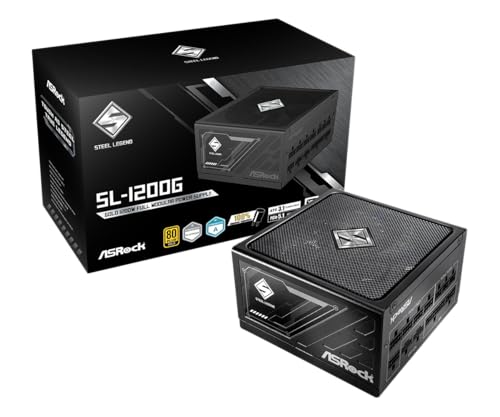
ASRock Steel Legend SL-1200G 1200W 80 Plus Gold & Cybenetics Platinum Full Modular Power Supply ATX3.1 & PCIe5.1 Ready with Dual Color 12V-2x6 Cable 10 Years Warranty
Included for '30 Series vs 40 Series GPUs: Which to Buy?' as a relevant option in this category; details come from the product listing.
View on Amazon
NZXT C850 Gold ATX 3.1-850W Fully Modular Power Supply
Included for '30 Series vs 40 Series GPUs: Which to Buy?' as a relevant option in this category; details come from the product listing.
View on Amazon
Segotep GM850 850W Power Supply, 80 Plus Gold Certified, PCIe 5.1 & ATX 3.1
Included for '30 Series vs 40 Series GPUs: Which to Buy?' because the listing specifies 80 Plus Gold Certified and PCIe 5.1 & ATX 3.1, details this guide uses to compare options.
View on AmazonWho it suits: anyone buying new who wants a three-year warranty, a card that fits a mid-tower without a PSU swap, and 1440p high-refresh performance. Main trade-off: you pay roughly double the used RTX 3080 price for a modest raster gain, so the value case rests on warranty, features, and efficiency rather than raw speed. Note that with the RTX 50 series now on shelves, 40 series stock is clearance-only, so availability and pricing fluctuate week to week.
Best frames per dollar: used RTX 3080 10 GB
The RTX 3080 remains the value king in the used market. Its 320-bit memory bus gives it bandwidth that no 8 GB 40 series card can match, and it typically lands around 1.6–1.8× the performance of an RTX 3060 in 1440p raster workloads.
Who it suits: a 1440p gamer with a 750 W power supply, decent case airflow, and no interest in frame generation. Main trade-off: 10 GB of VRAM is the ceiling. Titles that stream high-resolution textures aggressively can push past it at 1440p with ray tracing on, and the card’s 320 W draw means more heat and noise than a comparable 40 series part. You also inherit whatever life the previous owner took out of it — see the ownership section below.
Best budget options: RTX 3060 12 GB used vs RTX 4060 8 GB new
These two sit at almost the same price and pull in opposite directions. The RTX 3060 12 GB has 50% more VRAM and a wider 192-bit bus, but no Frame Generation, no AV1 encoder, and a 170 W draw. The RTX 4060 8 GB is roughly 20–25% faster in raster, runs on 115 W, and adds DLSS 3 Frame Generation and AV1 encode, but its 128-bit bus and 8 GB capacity are the tighter long-term bet.
Who each suits: the RTX 3060 for 1080p players who keep textures high and want to avoid VRAM-driven stutter on a 550 W PSU; the RTX 4060 for anyone who wants a sealed box, a warranty, and a card that sips power in a small case. Main trade-off for the 4060: 8 GB is already the limiting factor in a handful of 2026 titles at 1440p with ray tracing enabled.
Best for 1440p high refresh: RTX 4070 Ti Super 16 GB
This is the tier where the 40 series pulls clearly ahead of anything the 30 series offered at the same price. A 256-bit bus and 16 GB of VRAM resolve the texture-pressure problem that dogs the 3080 10 GB, and the 285 W board power is still 35 W below an RTX 3080.
Who it suits: 1440p 165 Hz owners, or 4K players willing to use DLSS Quality mode. Main trade-off: at $700–800 it costs more than twice a used RTX 3080, and clearance stock of 40 series cards is shrinking, so you may be choosing between it and a current-generation card at a similar price.
Best for 4K and AI work: RTX 3090 24 GB used
If your workload is VRAM-bound — 4K texture packs, local language models, video timelines — the used RTX 3090 is the anomaly of this comparison. It carries 24 GB of GDDR6X on a 384-bit bus, the same capacity as an RTX 4090, for roughly a third to a half of the 4090’s used price.
Who it suits: 4K gamers at 60–90 fps with upscaling, and anyone whose software needs more than 16 GB of video memory. Main trade-offs: 350 W of heat, a 750 W PSU recommendation, and no DLSS 3 Frame Generation. The RTX 4090 remains the outright performance leader at roughly 1.5–1.7× the 3090, but you are paying a steep premium for it.
30 series vs 40 series: what actually changed
| Feature | RTX 30 series (Ampere) | RTX 40 series (Ada Lovelace) |
|---|---|---|
| DLSS Frame Generation | No — hardware-gated | Yes (DLSS 3) |
| Transformer-model upscaling (DLSS 4) | Yes | Yes |
| AV1 hardware encoding | No | Yes |
| Ray tracing generation | 2nd gen RT cores | 3rd gen RT cores |
| Top VRAM tier | 24 GB (RTX 3090 / 3090 Ti) | 24 GB (RTX 4090) |
| Power connector | 8-pin throughout | 8-pin on 4060–4070; 12VHPWR on 4070 Ti and up |
| PCIe link on budget models | x16 on all | x8 on RTX 4060 and 4060 Ti |
| Board power range | 170–450 W | 115–450 W |
The numbers that decide it: VRAM, power, and PSU
| Card | VRAM (bus) | Board power | NVIDIA-recommended PSU | Launch MSRP | Typical 2026 price |
|---|---|---|---|---|---|
| RTX 3060 | 12 GB (192-bit) | 170 W | 550 W | $329 | $150–200 used |
| RTX 3070 | 8 GB (256-bit) | 220 W | 650 W | $499 | $180–230 used |
| RTX 3080 | 10 GB (320-bit) | 320 W | 750 W | $699 | $250–320 used |
| RTX 3090 | 24 GB (384-bit) | 350 W | 750 W | $1,499 | $550–700 used |
| RTX 4060 | 8 GB (128-bit) | 115 W | 550 W | $299 | $270–320 new |
| RTX 4060 Ti 16 GB | 16 GB (128-bit) | 165 W | 550 W | $499 | $400–460 new |
| RTX 4070 Super | 12 GB (192-bit) | 220 W | 650 W | $599 | $500–600 |
| RTX 4070 Ti Super | 16 GB (256-bit) | 285 W | 700 W | $799 | $700–800 |
| RTX 4080 Super | 16 GB (256-bit) | 320 W | 750 W | $999 | $900–1,050 |
| RTX 4090 | 24 GB (384-bit) | 450 W | 850 W | $1,599 | $1,400–1,800 |
Worked example: cost per frame and cost per year
Assume a 1440p raster title where a used RTX 3080 averages about 100 fps and an RTX 4070 Super averages about 112 fps, consistent with the 10–15% generational gap in published aggregates.
- Cost per frame, used RTX 3080: $280 ÷ 100 fps = $2.80 per fps.
- Cost per frame, new RTX 4070 Super: $550 ÷ 112 fps = $4.91 per fps.
- Electricity delta: 320 W − 220 W = 100 W. At 2 hours of gaming per day (730 hours/year), that is 73 kWh. At a typical U.S. residential rate of roughly $0.17 per kWh, the 3080 costs about $12 more per year to run.
- Break-even: the $270 price gap between the two cards would take about 22 years of electricity savings to close. Efficiency is not the financial argument — warranty, features, and thermals are.
Run the same math against an RTX 3060 12 GB at $175 and roughly 60 fps: $2.92 per fps, within pennies of the 3080 while giving up about 40% of the performance. That is the clearest illustration of how tight the used 30 series market is priced.
Which one to buy: decision matrix
| Your situation | Buy | Reason |
|---|---|---|
| 1080p 60–144 Hz, 550 W PSU, tight budget | Used RTX 3060 12 GB | 12 GB avoids texture stutter; no PSU change |
| Want a warranty and AV1 encoding | New RTX 4060 8 GB | 115 W, DLSS 3 FG, sealed box |
| 1440p 144 Hz, best frames per dollar | Used RTX 3080 10 GB + 750 W PSU | 320-bit bus, ~1.7× a 3060 |
| 1440p high refresh, long-term VRAM headroom | RTX 4070 Ti Super 16 GB | 16 GB on a 256-bit bus |
| 4K, or local AI and video work | Used RTX 3090 24 GB | 24 GB GDDR6X at a fraction of a 4090 |
| Small-form-factor or low-noise build | RTX 4060 or 4070 Super | 115–220 W keeps coolers compact |
| Older PCIe 3.0 motherboard | Skip the RTX 4060 / 4060 Ti | x8 link on PCIe 3.0 can cost a few percent |
Ownership realities: what wears out and what to check
Used 30 series cards are now four to six years old, and the failure points are predictable. Fan bearings are usually the first consumable — listen for a dry rattle at low RPM. Thermal pads on the memory of high-power cards (3080, 3090) are the second; pump-out and hardening show up as memory temperatures climbing while the core stays cool. Repasting and repadding is a routine job, but budget the cost of pads and an hour of your time into any used purchase.
On the 40 series side, the 12VHPWR connector on 4070 Ti-and-up models needs a fully seated, unforced connection; avoid sharp bends within the first few centimetres of the plug, and use the adapter that shipped with the card rather than a third-party cable of unknown gauge. RTX 4060 and 4060 Ti cards use a PCIe 4.0 x8 link, which is harmless on a modern board but can shave a few percent on an older PCIe 3.0 platform.
Common mistakes worth avoiding: pairing an 8 GB card with a 1440p high-texture preset and blaming the GPU for stutter; buying a used RTX 3070 at near-3080 prices; and overlooking that DLSS Frame Generation cannot be enabled on any 30 series card, no matter the driver version. Driver support is not a concern — the 30 series still receives current drivers — but feature support is permanently gated by hardware.
Frequently Asked Questions
Is a 40 series GPU worth it over a 30 series in 2026?
It depends on whether you value features or raw frames. A used RTX 3080 costs about half an RTX 4070 Super and delivers roughly 85–90% of its raster performance, so for pure performance per dollar the 30 series wins. The 40 series justifies its premium with a warranty, DLSS 3 Frame Generation, AV1 encoding, and 100 W lower power draw at the same performance tier.
Can a 30 series card run DLSS Frame Generation?
No. Frame Generation is gated to 40 series hardware and above, per NVIDIA’s DLSS documentation. The 30 series does support the transformer-based upscaling model introduced with DLSS 4, so image quality improves, but you will not get the frame-rate multiplication that 40 series owners see.
How much VRAM do I need for 1440p in 2026?
12 GB is the comfortable floor for 1440p with high textures, and 16 GB gives real headroom for ray tracing and heavy texture streaming. 8 GB cards still work at 1440p with medium textures, but a growing number of titles will stutter or drop texture detail when the frame buffer fills. The 30 series’ 12 GB RTX 3060 remains one of the cheapest ways to clear that bar.
Is buying an ex-mining GPU safe?
Often yes, with inspection. Mining cards typically run at fixed low core clocks but sustained high memory temperatures, so the memory pads and fan bearings are the parts to scrutinise. Ask for a photo of the card running with a temperature readout, check for corrosion or dust caking in the fins, and factor in the cost of a pad and paste refresh.
Do I need a new power supply for a 30 series card?
For an RTX 3060 or 3070, a quality 550–650 W unit is usually enough. An RTX 3080 or 3090 carries a 750 W recommendation from NVIDIA, and a 4090 recommends 850 W. Add roughly 100 W of headroom if you run a high-wattage CPU and check that your unit has the required number of 8-pin connectors.
RTX 3080 10 GB or RTX 4060 Ti 16 GB — which is better?
The 3080 is substantially faster in raw raster performance thanks to its 320-bit bus, so it wins on frame rate in most games. The 4060 Ti 16 GB wins on capacity and efficiency: more VRAM, 165 W instead of 320 W, AV1 encoding, and Frame Generation. Choose the 3080 for speed on a strong PSU, and the 4060 Ti for a low-power build or VRAM-heavy non-gaming work.